On this page:
- Introduction
- Laptop Recommendations
- Licensed Software
- Multiuser Systems
- PC Labs
- Printing
- UNIX Accounts
- Other Resources
- Computing Support Staff
Introduction
The College of Engineering and Computer Science (CECS) has lots of computing resources, many of which have been paid for with the Student Technology Fee.
CECS employs helpful computer support persons. But, to alleviate some of their workloads, the college has created this online help page. You should find enough documentation to answer any questions.
Things to Remember
- CECS computers are in the “cs.wright.edu” domain, not “wright.edu.”
- Almost everything is accessible from off-campus via the VPN client (contact CaTS).
- Many of the computing resources were paid for with funds from the student technology fee, which all CECS students pay. Please use appropriately the equipment, services, and software you helped purchase.
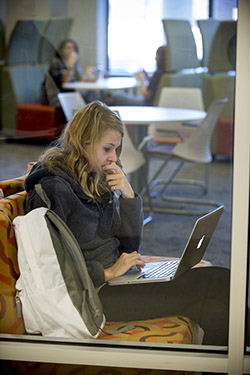
Laptop Recommendations for Engineering and Computer Science Students
Graduate Student Laptop Recommendations
Graduate student laptop needs may vary based upon your specific program and research areas. Please contact your department office and/or faculty advisor for questions.
Undergraduate Student Laptop Recommendations
|
Description |
Specifications |
|---|---|
|
Processor |
Computer Science, Computer Engineering, or IT Cybersecurity majors: |
|
Memory |
16GB RAM or more (32GB recommended for Mechanical Engineering or Materials Science Engineering students) |
|
Hard Drive |
500 GB or more |
|
Operating System |
Windows 11 or Linux |
|
Wireless Adapter (for desktops without wireless cards) |
USB or equivalent 802.11 ac or ax |
|
Additional Recommended Hardware |
Webcam and microphone Access to a printer |
|
Software Packages |
Microsoft Office 365 is available for free to all students (wright.edu/office365) |
|
Warranty |
3 years or more |
Minimum Specifications: Please note the table above includes the recommended laptop specifications. If you already own a laptop that does not meet these specifications, you do not need to go out and buy a new one. Similarly, if your budget does not allow for purchasing a laptop with these specifications, you should purchase the best option within your budget. Computer labs with all necessary software are available 24 hours to students enrolled in an engineering or computer science course – most students prefer to have their own laptop, but it is not strictly necessary, as most of the engineering software can't be installed on personally-owned laptops, anyway.
If you are purchasing a laptop, it should at minimum be a Windows or Linux machine that meets the CaTS minimum computing standards for students – please note these standards are the minimum university-wide for students. If your budget allows, we strongly advise you to purchase based on the recommended specifications in the table above.
Note Regarding Mac OS: Mac OS laptops are NOT recommended for engineering and computer science students, as some of the necessary software is not compatible with Macs. If you already own a Mac, there may be workarounds for some (but not all) systems, and you can also utilize the computer labs when needed.
Licensed Software
- Abaqus
- Ansys/CFX/Fluent
- Cadence (virtuoso, many others)
- Cradle (SC/Tetra, SC/Stream)
- Labview
- Mathematica
- Matlab
- Microsoft Office
- Microsoft Visual Studio
- NAG Fortran Compiler
- Nastran/Patran
- Solid Works
- Synopsys (Saber)
- Xylinx (ISE)
Others that are licensed specifically to a certain faculty or research group
Multiuser Systems
Any CECS UNIX account can login.
thor
- 2 6-core Xeons (24 threads), 128GB RAM, penSUSE 15.6
- Everything 141 and 333 has, just no console access
loki
- 2 12-core Xeons (48 threads), 256GB RAM, openSUSE 15.6
- Everything 141 and 333 has, just no console access
PC Labs
Windows PC Labs
Every lab has Office and Matlab.
24 Hour Open Lab:
152D
- Use your campus username (w123abc) to authenticate
- Access is granted by semester when at least 1 cent is paid toward tech fee
- Microsoft Office, Matlab, Solid Works, more
Access Restricted to Specific Classes Labs:
152E, 122, 203, 243, 319, 323, 411, 419, 426, 439
Dual-boot Linux and Windows PC Labs
Access Restricted to MME Classes Labs:
All use openSUSE.
- For Windows, use your campus username to authenticate. For Linux, you must have a CECS UNIX account (see below).
- Ansys/CFX/Fluent, Matlab, Mathematica, NAG Fortran Compiler, Nastran/Patran, OpenOffice
Access Restricted to EE Students Labs:
333– “vlsi” machines
- For Windows, use your campus username to authenticate. For Linux, you must have a CECS UNIX account (see below).
- Cadence (virtuoso), Matlab, Mathematica, OpenOffice, Synopsys (Saber), Xylinx (vivado)
Access Restricted to Specific Classes Labs:
434
Printing
Printers, toner, and paper paid for with tech fee, but printing is not free. Please do not delay the purchase of updated equipment by abusing printing privileges.
- PrintWright printers in 152
- PrintWright printers in 333
- Most small labs have printers for use in that room
CECS Linux Access
15GB disk quota standard, can be increased if needed
Account Access
- Access is granted for duration of a course per teaching faculty, or
- Access can be granted until a student graduates, if needed for thesis and dissertation work
- Uses campus username and password
Other Resources
- Ohio Supercomputer Center - statewide resources; many large HPC clusters; great resource for running large simulations
Computing Support Staff
The college employs a computer support staff, which includes two full-time
Senior Systems Administrators (with over 60 years of combined experience). Each
of the full-time administrators has a bachelor's degree in Computer Science or
Computer Engineering, and both have MBAs in Information Technology.
If, by chance, your questions are not answered by this site, contact CECS Computer Support.